HDMI & DisplayPort volume
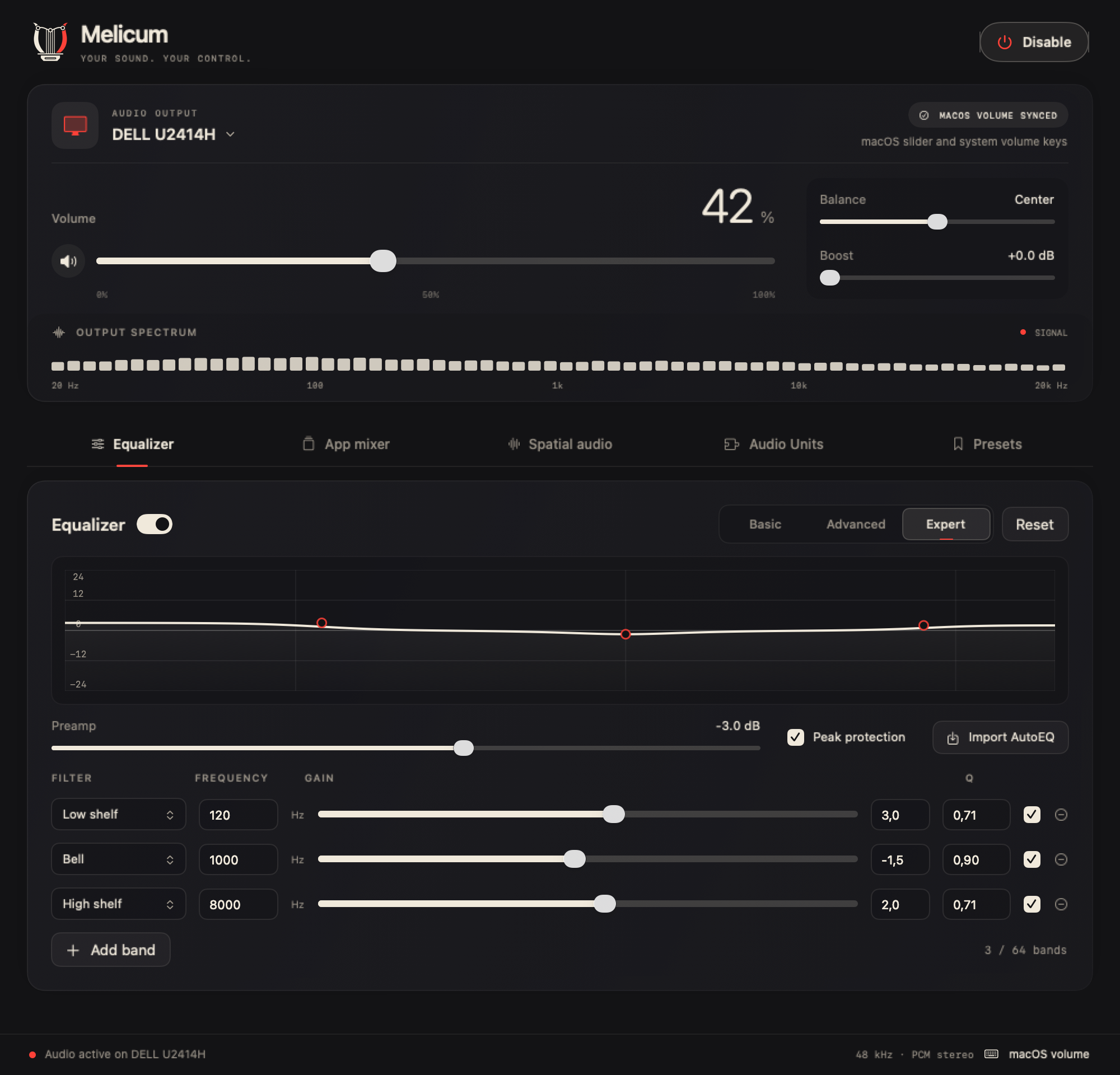
Volume, mute, balance and up to 12 dB of boost for any output, even when the display has no volume of its own.
0–100% · ±balance · 0–12 dB boost
Turn up your HDMI and DisplayPort display from the keyboard, like the built-in speakers. Then shape the sound.
HDMI and DisplayPort outputs usually have no hardware volume control, so the slider is disabled and the volume keys show a crossed-out speaker. You end up reaching for the monitor's buttons.
Volume, mute, balance and up to 12 dB of boost for any output, even when the display has no volume of its own.
0–100% · ±balance · 0–12 dB boostAn optional system component enables the macOS volume slider and keys, with volume and mute synchronized both ways.
Optional HAL componentBasic tone controls, ten fixed bands, or an expert mode with bell, shelf, pass, notch and band-pass filters.
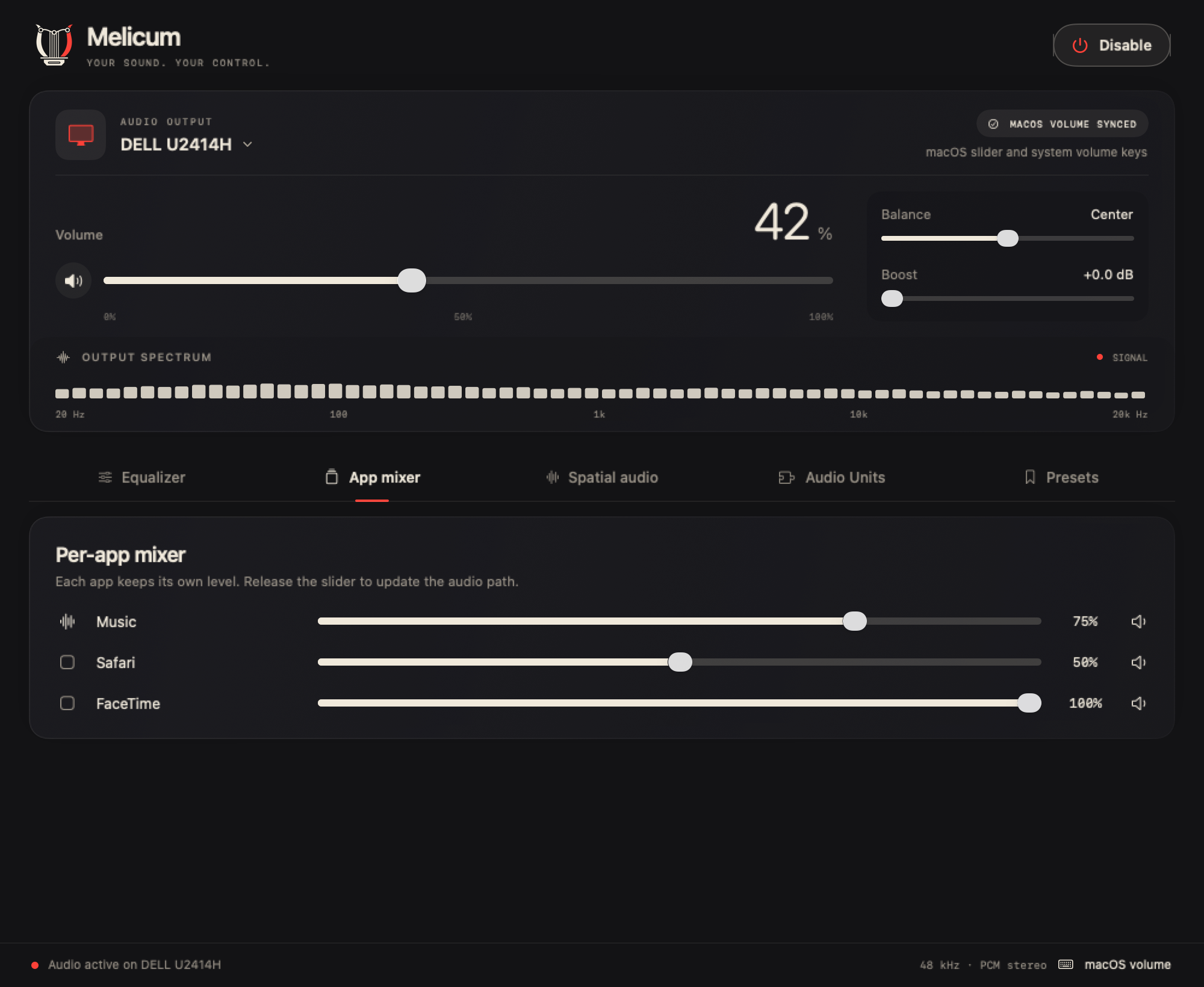
Up to 64 filters · AutoEQ importGive each application its own level, grouped by bundle, so a video call and music no longer fight.
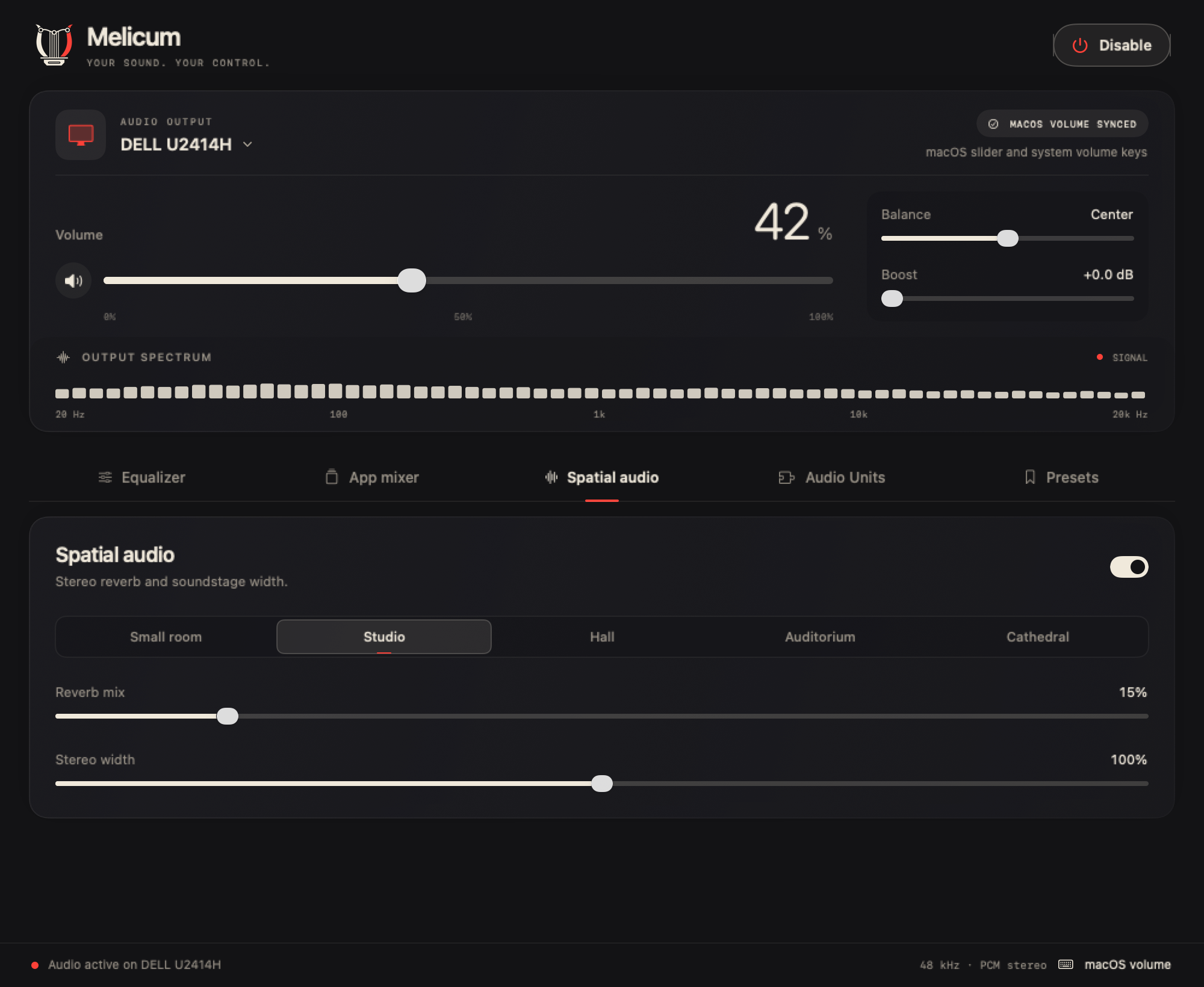
Separate tap per appAn original stereo reverb with five spaces, from a small room to a cathedral, plus soundstage width.
5 rooms · mid/side widthChain installed effects, then save everything as a super preset that follows an output or an app.
12 effects · JSON import/exportMelicum captures system audio with Core Audio process taps, processes it in a realtime C engine and plays it on the display, sharing the display's clock to avoid drift.
The optional virtual output exposes standard volume and mute to macOS. Its loopback is unused; Melicum applies the gain in its own engine, never twice.
Disabling or quitting closes the taps and restores the previous output. If Melicum exits unexpectedly, the virtual output disappears within five seconds.
Audio is processed in memory on your Mac. Nothing is recorded to disk or sent over the network.
The interface takes its colors from the icon: a graphite audio console, cream controls and restrained red indicators. Master controls stay visible as you move between panels. The original logo is unchanged.
Native SwiftUI views shown with example device, meter and preset data. Select an image to view it at full size.
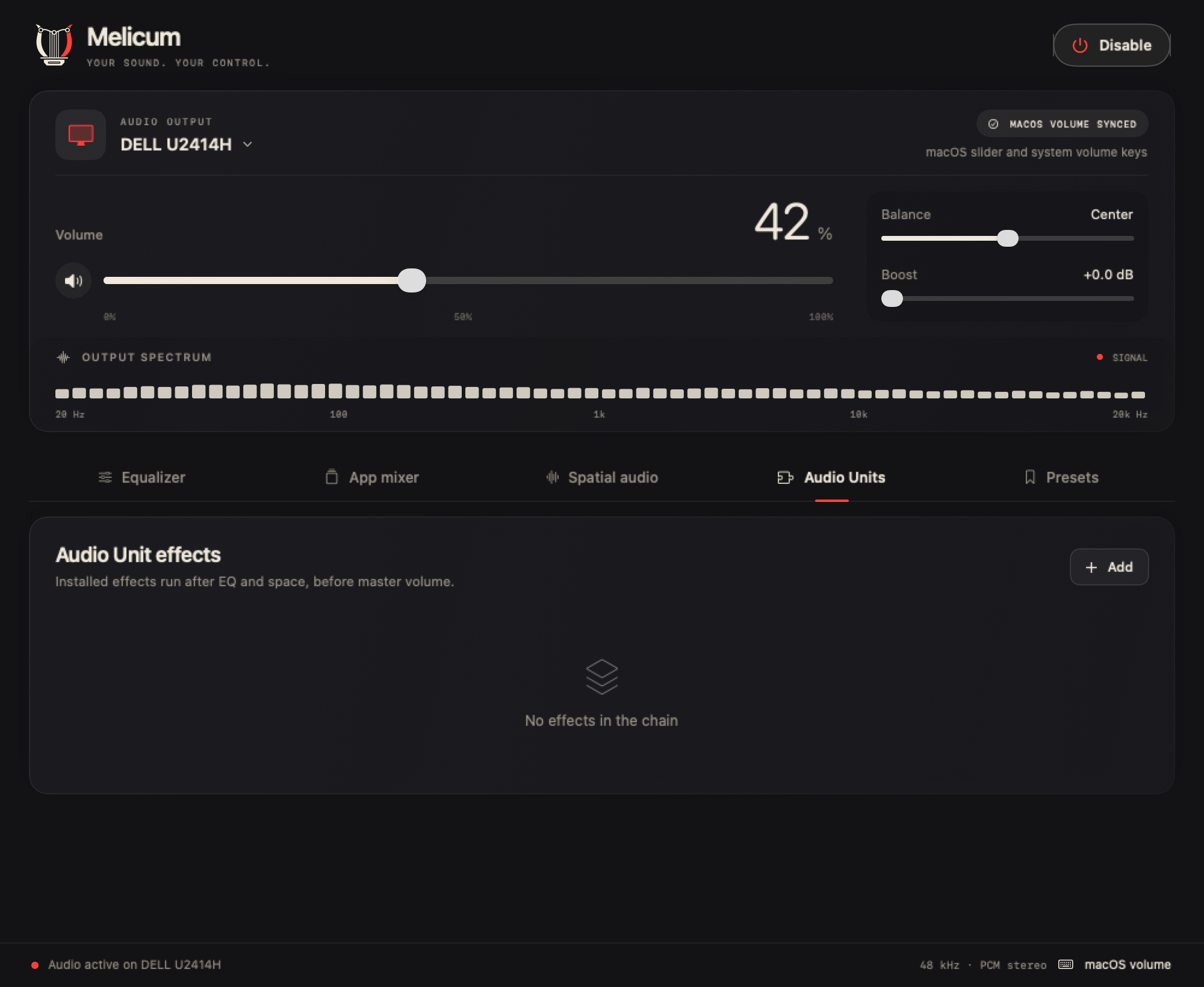
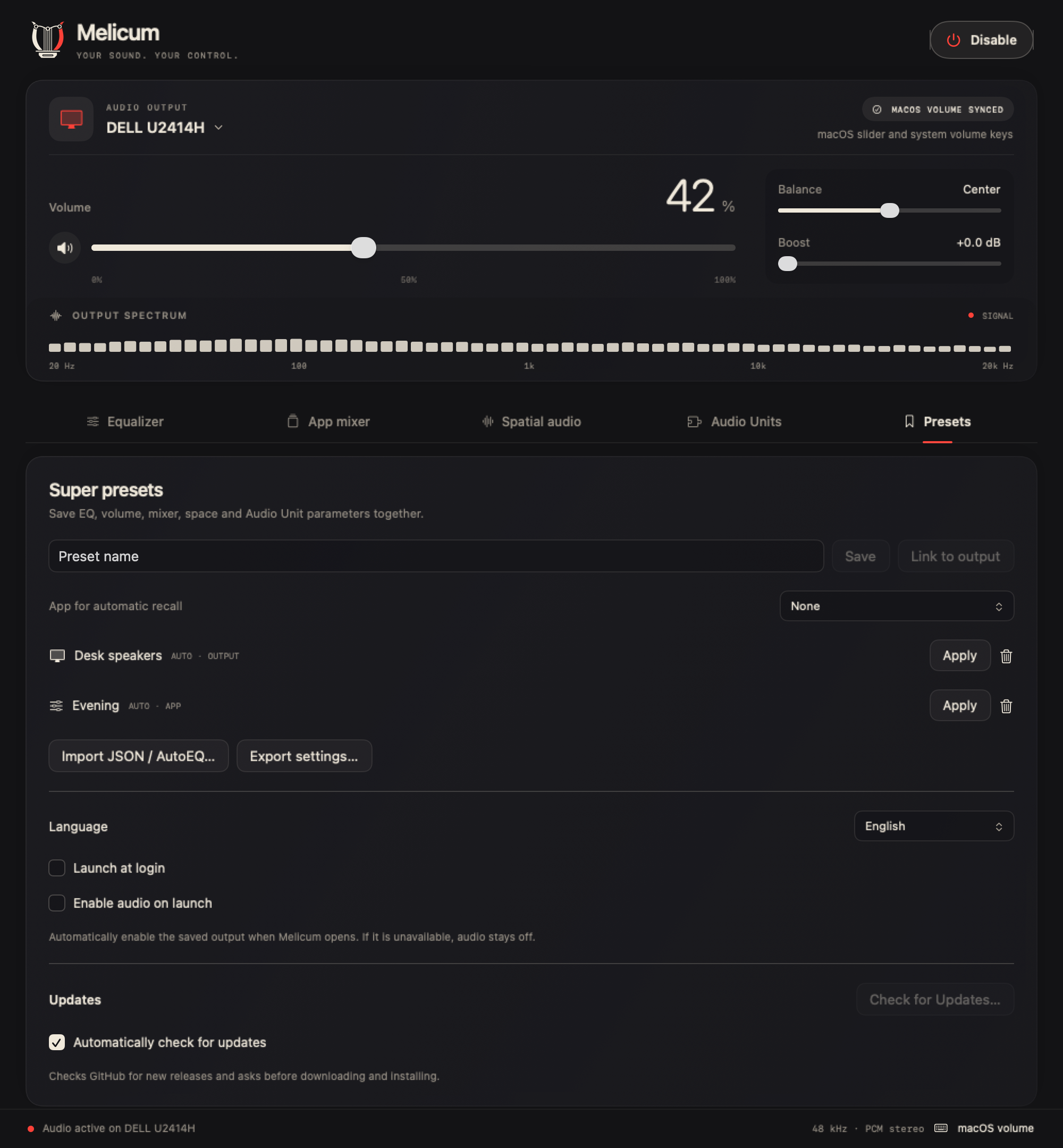
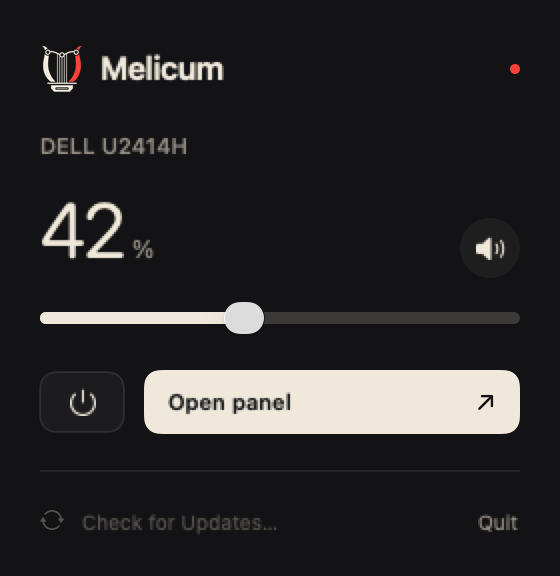
Audio presets and application preferences are independent, so recalling an EQ setup does not change your language or startup choices.
Super presets include volume, EQ, app levels, reverb and Audio Unit parameters. Link one to an output or an application, or import and export settings as JSON.
Launch at login opens Melicum when you sign in. Enable audio on launch separately activates the saved output; it is off by default. If that output is unavailable, processing stays off.
Switch immediately between English, Italian, French, German and Spanish under Presets. Read the full guide for every control and preset setting.
Melicum checks for stable releases approximately once a day by default. Turn automatic checks on or off under Presets → Updates, or check manually from the app or quick menu.
Sparkle verifies the signed feed, archive signature and Apple code signing. Drafts and prereleases are excluded from the stable update feed.
The app asks before downloading and installing. It restores the physical output before quitting, retains presets and preferences, and follows your startup choice after relaunch.
App updates do not silently replace the optional HAL component. When a release includes a component update, run its included Enable system volume… installer separately.
Get the latest .dmg from Releases and drag Melicum to Applications. Builds are signed and notarized by Apple.
Choose the monitor or audio device under Audio output.
Click Enable audio and allow system audio recording when macOS asks.
Click Enable system volume… and authorize the installer. The macOS slider and keys now control your display.
Requires Xcode. The system volume component builds on BlackHole, included as a submodule.
# clone with the BlackHole submodule
git clone --recurse-submodules \
  https://github.com/debba/melicum.git
cd melicum

# test, then build the driver and the app
swift test
./scripts/build-system-volume.sh
./scripts/build.sh
open build/Melicum.app

Melic poetry was sung to the lyre. The icon draws one as an equalizer: the yoke is an EQ curve with three hollow nodes, each string ends on that curve like a frequency band, and the sound box has the profile of an HDMI receptacle.

An open-source desktop SQL workspace for PostgreSQL, MySQL, MariaDB and SQLite, with plugins such as DuckDB and ClickHouse and a built-in MCP server for AI assistants.
macOS · Windows · Linux · Apache-2.0
GitHub, GitLab and Forgejo on the web and in a native app for iPhone and iPad: issues, pull requests and priorities at a glance. The web dashboard is open source.
Web · iPhone & iPad · iOS 17+ · Free